
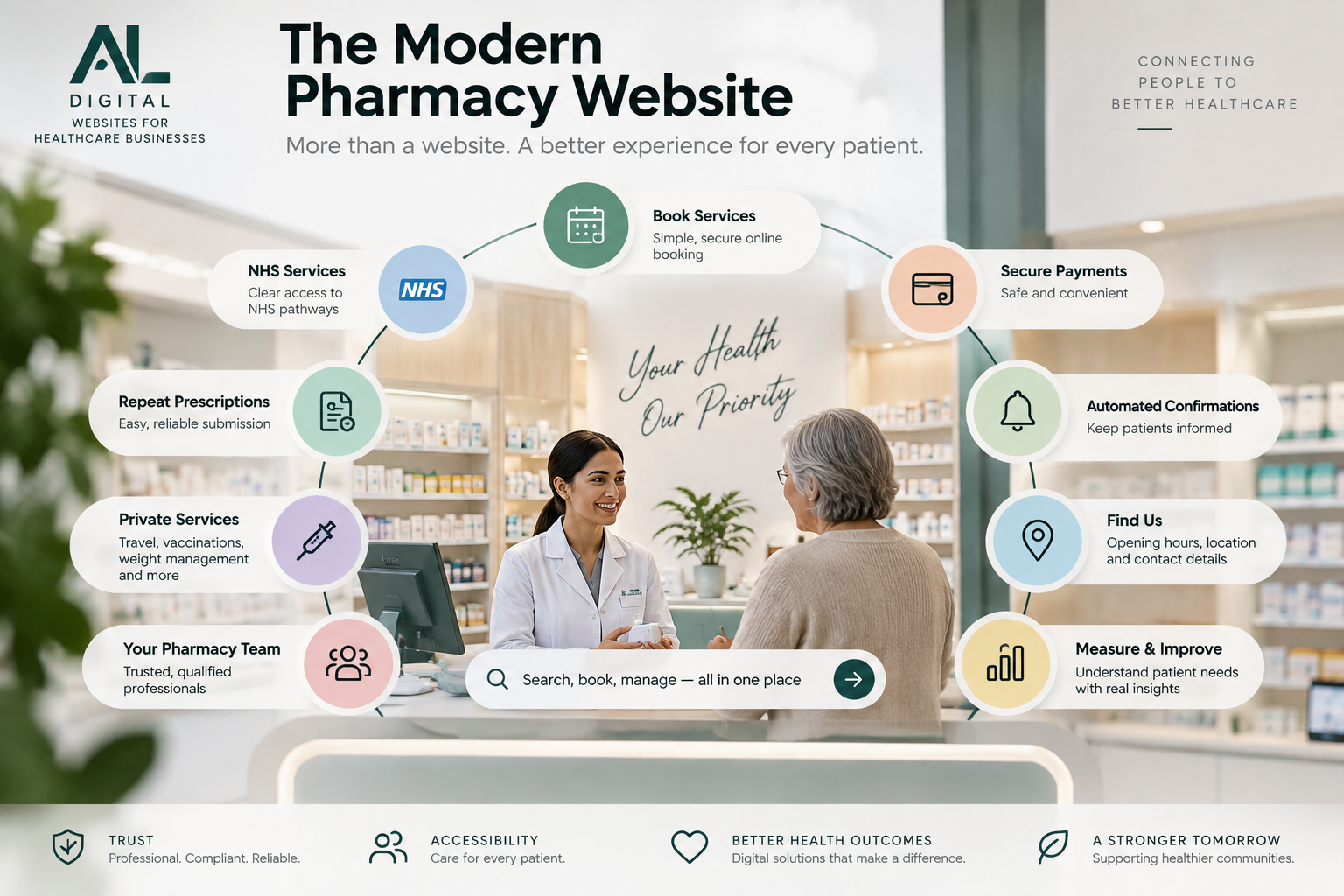
An independent pharmacy website now needs to do much more than display opening hours and a phone number.
Patients increasingly expect to understand services, check eligibility, book appointments, access prescription information and find the right healthcare pathway without unnecessary friction.
For pharmacies offering both NHS and private services, the website also needs to make those different journeys easy to understand.
What do you offer? Is this service right for me? What do I do next?
The goal is not to add as many features as possible. It is to create a clear, trusted digital front door for the pharmacy. The wider principles in our guide to what a healthcare website should include also apply, but independent pharmacies have their own mix of NHS, private-service and prescription journeys to manage.
1. A Clear Homepage
The homepage should quickly explain who the pharmacy serves, where it is located, its key NHS and private services, how to book and how to get in touch.
Avoid making patients search several pages just to understand what the pharmacy offers. Important services should be easy to reach from the homepage, with calls to action that reflect the genuine next step.
2. Clear NHS Service Information
Independent pharmacies may provide or signpost NHS services such as:
- Pharmacy First
- blood pressure checks
- contraception services
- vaccinations where applicable
- smoking cessation
- other locally commissioned services
The website should explain what each service is, who may be eligible, whether the patient should book, whether it is NHS-funded and what happens next.
Where the correct route is an NHS service or official NHS platform, link patients clearly to that pathway. The site should never blur the distinction between NHS-funded and private care.
3. Dedicated Private Service Pages
Private services should not simply sit in one long, generic list. Where relevant, create dedicated pages for services such as travel health, private vaccinations, weight management, ear care, blood testing, sexual health services and other pharmacy-led consultations.
Each page should explain what the service is, who it is for, important eligibility information, pricing where appropriate, what the consultation involves and how to book.
Clear service pages help patients understand what they are actually booking and allow the pharmacy to connect each service to the right digital journey. The broader possibilities are outlined on our Healthcare Digital Solutions page.
4. Online Booking
For suitable services, patients should be able to take the next step without unnecessary phone calls or email chains.
For another service, the safer route may be:
Not every pharmacy service should use instant booking. Where clinical review or an eligibility check is required, explain that clearly. Patients should always understand what happens after they take action. Our guide to improving online booking journeys for healthcare businesses explores this in more detail.
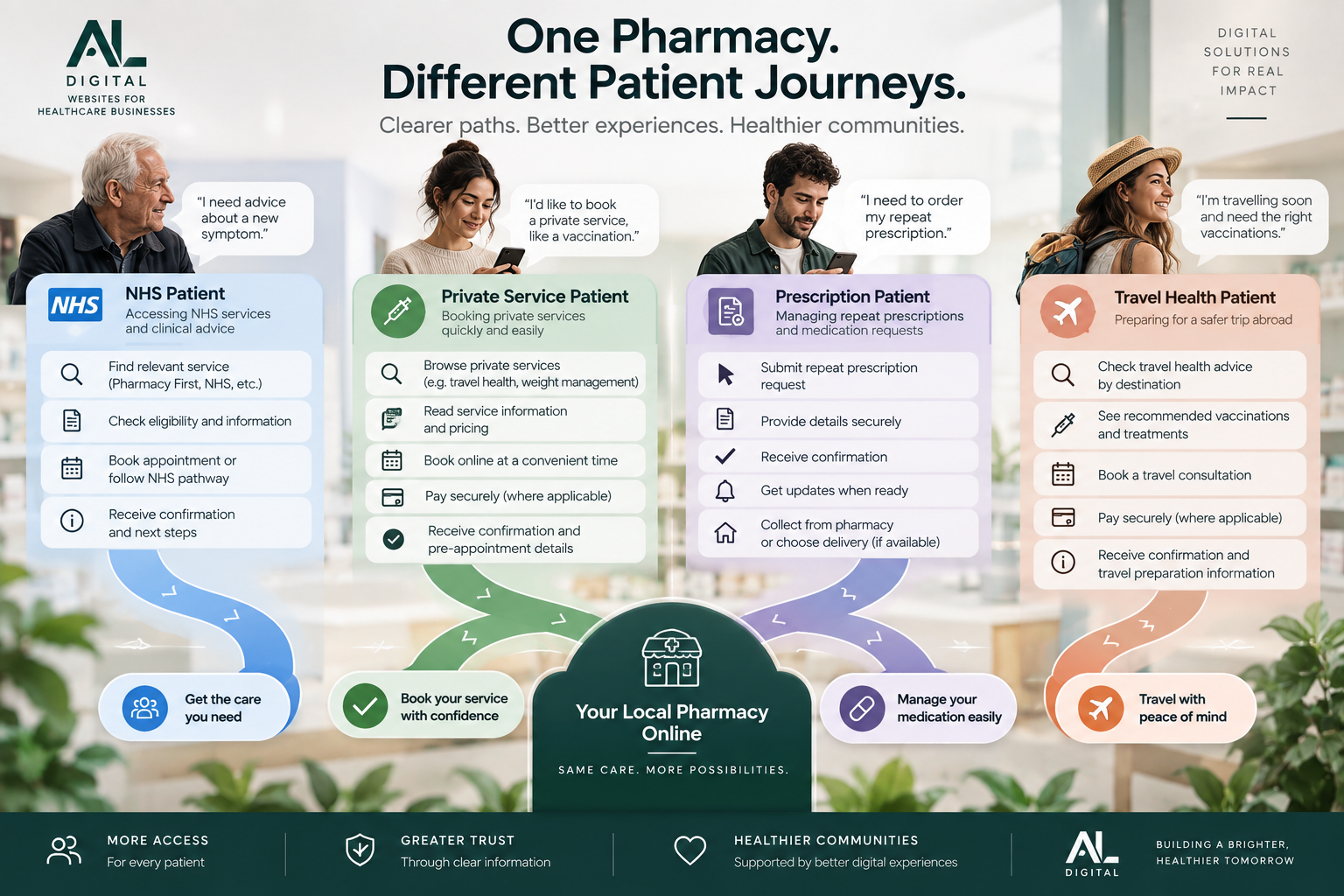
5. Different Patients Need Different Journeys
A pharmacy website serves several types of patient, and each group may need a different digital pathway. An NHS patient looking for clinical advice should not be forced through the same route as someone arranging a private travel consultation or managing a repeat prescription.
6. Repeat Prescription Information
Prescription journeys should be clear and safe. Explain the correct route for patients who need repeat prescriptions, NHS prescription ordering, collection or delivery information and prescription queries.
Avoid creating unofficial processes where the correct route is an NHS service. If the pharmacy uses an external prescription system, make the handoff clear so patients know they are moving to the right trusted platform.
7. Patient Forms
Forms should only ask for information that is relevant at that stage. Avoid asking patients to enter the same details repeatedly across booking forms, consultation forms, payment systems and follow-up forms.
Where possible, separate initial booking information from the clinical information required later. This does not mean removing information needed for clinical, legal, regulatory or privacy reasons. It means collecting it at the right point in the journey.
8. Transparent Pricing
For private services, pricing should be easy to understand where appropriate. Clearly communicate the consultation fee, treatment or service price, starting price, deposit requirements, possible additional costs and cancellation terms.
If pricing varies, explain why. Patients should not need to contact the pharmacy simply to discover basic private-service pricing where that information can reasonably be published. The same principle applies when presenting broader website and digital-project pricing: clarity helps people decide whether the next step is appropriate.
9. Payments Where Appropriate
For suitable private services, online payment can form part of the booking journey.
Two common routes:
Book → Pay → Confirm
Consultation review → Payment → Appointment confirmation
The payment experience should be secure, clear, appropriate to the service and connected to the rest of the patient journey. Do not force online payment where it is clinically or operationally inappropriate.
10. Trust and Professional Credibility
Healthcare websites need to build confidence before asking someone to book, pay or provide personal information. Trust should come from genuine, verifiable details rather than fake awards, badges or testimonials.
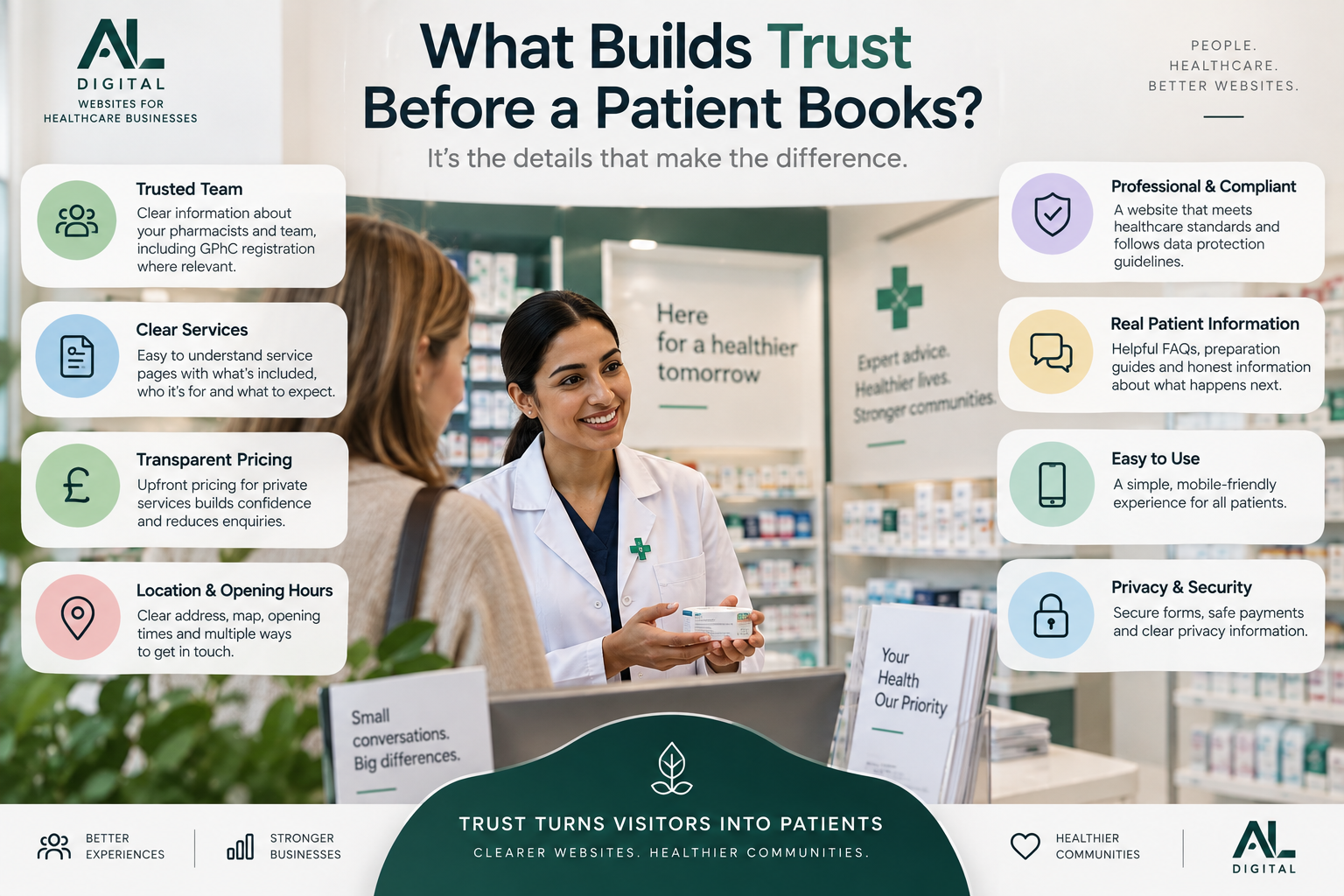
Useful signals can include pharmacy team information, pharmacist names, professional registration details where relevant, accurate opening hours, privacy information, secure forms and payments, clear patient guidance and a professional presentation.
If a website does not establish enough confidence early in the journey, a potential patient may leave before the pharmacy ever knows they were interested. That pattern is explored in why healthcare websites lose enquiries before patients make contact.
11. Opening Hours, Location and Contact Information
Patients should be able to find opening hours, the full address, map or location details, phone number, email and parking or access information where relevant.
Keep this information consistent across the website and other business listings. Outdated or conflicting details quickly undermine trust and can cause avoidable calls, missed visits and frustration.
12. Mobile Usability
Many pharmacy patients will visit from a phone. Test whether they can comfortably find services, understand pricing, tap booking buttons, complete forms, make payments, open NHS links, contact the pharmacy and view confirmation messages.
A website can technically be mobile-responsive and still be difficult to use. The important journeys should be tested on real devices, not only in a desktop preview.
13. Accessibility
A pharmacy website should be usable by a wide range of patients. Consider readable font sizes, strong colour contrast, clear headings, simple navigation, descriptive links, accessible forms, keyboard usability, meaningful alternative text and plain language.
Accessibility should be treated as part of good patient experience, not an optional extra.
14. Automated Confirmations and Reminders
Useful automated communication may include booking confirmations, appointment reminders, preparation instructions, follow-up messages and requests to complete forms.
Every message should have a clear purpose. Automation should reduce uncertainty and administration without making communication feel confusing or impersonal.
15. Analytics and Measurement
A pharmacy should understand how people use the website. Useful measures can include service-page visits, booking call-to-action clicks, booking starts, completed bookings, enquiry completions, device type, traffic source and abandonment points.
Tools such as Google Analytics and Microsoft Clarity can help identify where patients appear to struggle. Use that data alongside patient feedback and day-to-day pharmacy operations. Focus on meaningful actions, not vanity metrics.
16. Ongoing Support and Room to Grow
A pharmacy website should not be treated as a one-off project. Over time, the pharmacy may add new NHS or private services, booking journeys, forms, payment options, team members, locations and patient information.
The technical foundation should be flexible enough to evolve without requiring a complete rebuild every time the pharmacy changes. A dependable maintenance and improvement process also keeps content, security and integrations current. Our digital services are structured around those connected requirements, while selected case studies show how different business journeys can be brought together.
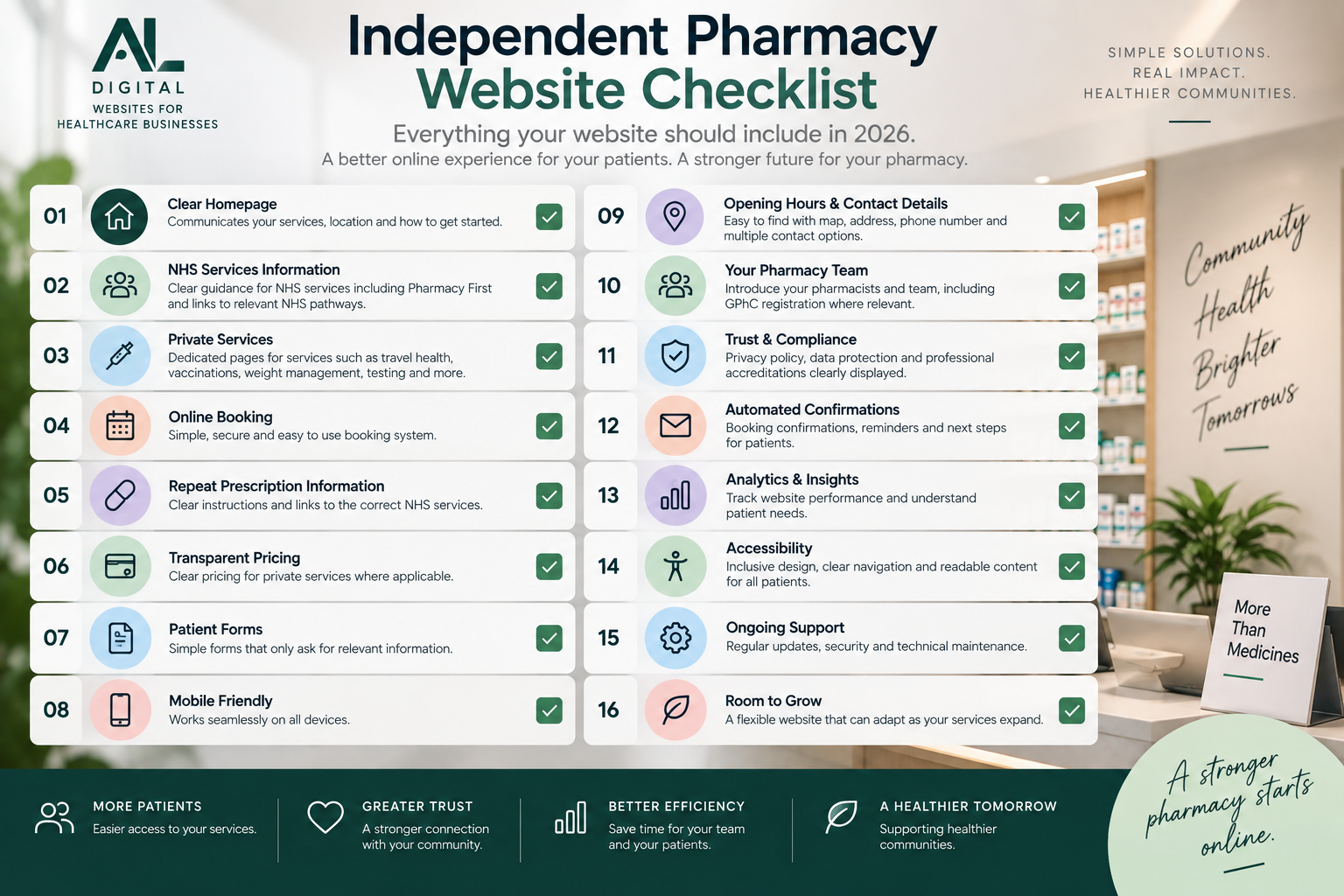
Independent Pharmacy Website Checklist
The strongest pharmacy websites combine clear information with practical systems that support both patients and the team behind the service.
Does Every Pharmacy Need a Completely New Website?
Not necessarily. If the existing technical foundation is strong, a pharmacy may only need to improve service pages, booking journeys, forms, pricing information, navigation, mobile usability, integrations, trust information and analytics.
A complete rebuild becomes more relevant when the current platform or structure prevents those improvements from being implemented properly. Use our guide to website redesign versus a new website to assess the difference.
The Goal Is a Better Patient Journey
The best pharmacy website is not the one with the most features. It is the one that helps patients reach the right service with clarity and confidence.
For independent pharmacies, digital systems should support the existing healthcare service rather than complicate it.
Is your pharmacy website helping patients reach the right service easily?
AL Digital builds websites and connected digital systems around patient journeys, bookings, enquiries, payments and business workflows.
Explore Healthcare Solutions Get a Free Quote