
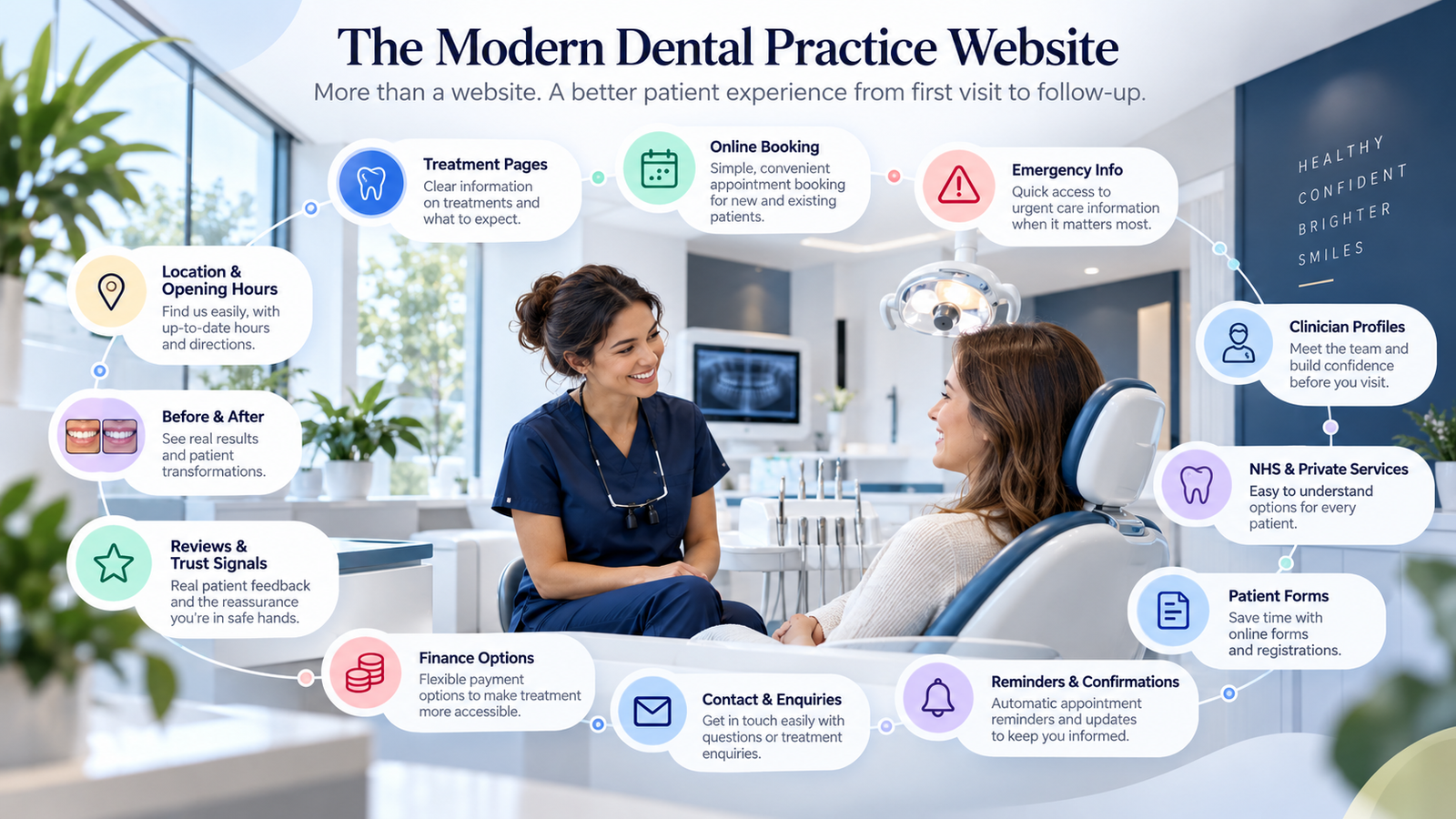
A dental practice website now needs to do much more than list treatments and contact details.
Patients may compare practices, research a treatment for the first time, check prices, look at clinicians or decide whether they feel confident enough to book. For implants, orthodontics or cosmetic dentistry, that decision may take several visits.
What treatment might I need? Can I trust this practice and clinician? What will it cost? What do I do next?
The objective is to make the journey from research to appointment clear and reassuring, without adding unnecessary features. The wider principles in what a healthcare website should include apply here too.
1. A Clear Homepage
The homepage should quickly communicate what the practice offers, whether it provides NHS, private or mixed care, its location, key treatments and how new patients can get started. Booking and enquiry routes should be obvious without several clicks.
A patient arriving from a treatment search may have a very different question from someone checking opening hours. Give each a clear route rather than crowding the first screen with every possible service.
2. Separate NHS and Private Information Clearly
For a mixed practice, patients need to know which treatments are NHS-funded, which are private, whether new NHS patients are being accepted and whether private consultations can be booked directly. State the practice’s actual service model clearly. Do not imply NHS availability where it is not offered.
3. Dedicated Treatment Pages
Important treatments deserve dedicated pages rather than one generic list. Depending on the practice, these may cover general and emergency dentistry, hygiene, implants, orthodontics, veneers, composite bonding, whitening, crowns, bridges and dentures.
Each page should explain what the treatment is, who it may suit, the general process, indicative pricing where appropriate, likely next step and how to book a consultation. Use understandable language and distinguish general guidance from advice that requires an individual clinical assessment.
Patients should be able to understand a treatment before being asked to make contact.
4. Clinician Profiles
Choosing a clinician can be part of choosing a practice. Profiles can present a professional photograph, name, role, qualifications, relevant experience, areas of interest and registration details. Keep every credential accurate and verifiable; do not invent memberships or specialist status.
5. Make Professional Registration Easy to Verify
Where relevant, make GDC registration details easy to find. Present professional information clearly and avoid implying qualifications or specialist status beyond what a clinician actually holds.
6. Different Patients Have Different Journeys
An emergency patient may need immediate contact details, while a cosmetic, implant or orthodontic patient may research treatments and clinicians before requesting a consultation. Routine-care and new patients may need a different starting point again.
7. Online Booking and Consultation Requests
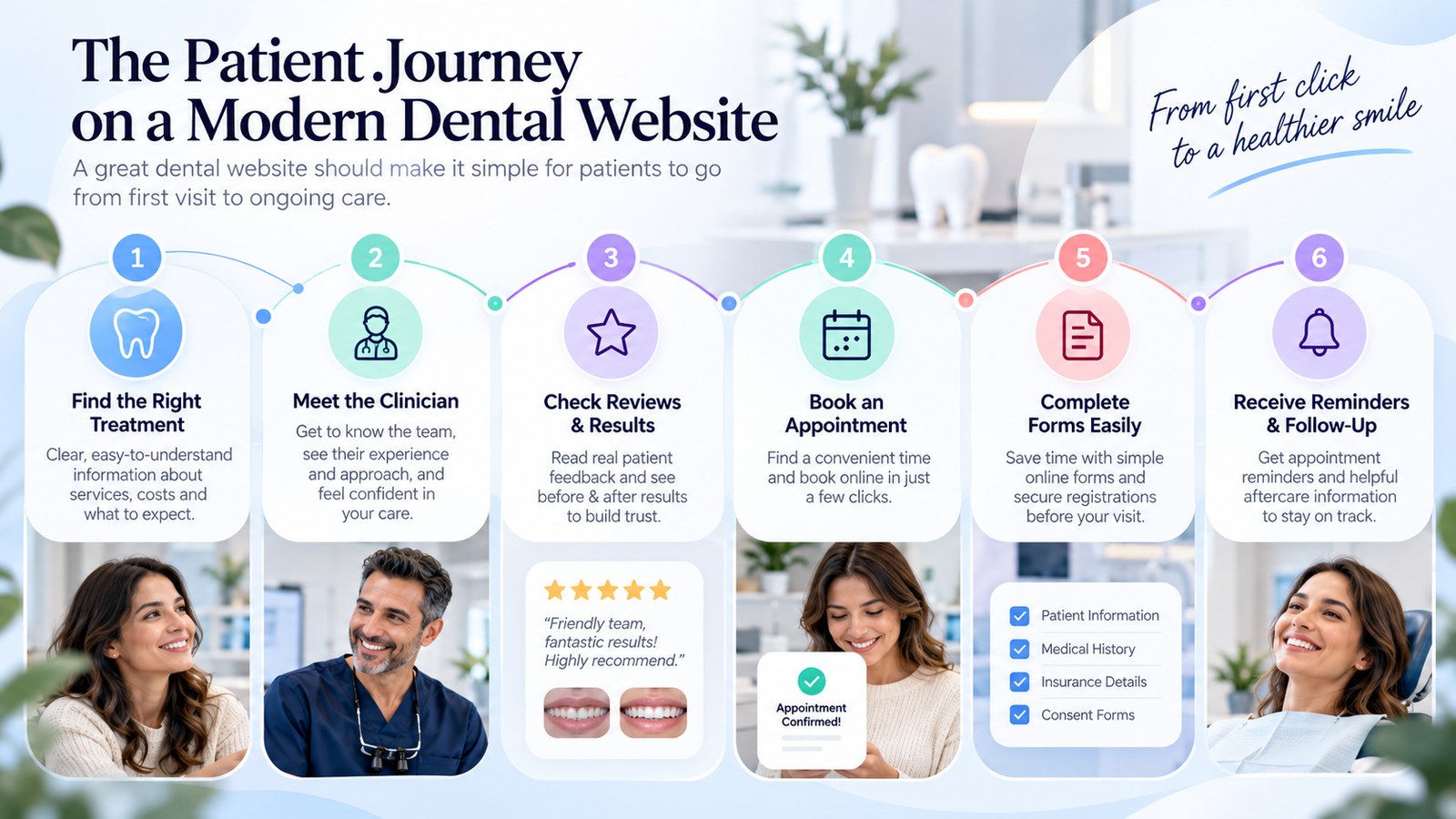
Not every appointment needs the same booking route. A suitable journey may be Treatment → Consultation booking → Confirmation. Another may require Treatment → Enquiry → Clinical or administrative review → Consultation.
Where appropriate, patients should be able to check availability, request a consultation, book a suitable appointment and understand what happens next. Do not offer instant booking where prior assessment is clinically or operationally necessary. A handoff to another system should explain where the patient is going and whether their request is complete.
See our guide to improving online booking journeys for healthcare businesses.
8. New Patient Journey
Make the route for a new patient especially clear. State whether new patients are accepted and whether the first appointment is an examination or a treatment consultation.
Explain any deposit, the forms to complete, what to bring and what happens after that first visit. This reduces uncertainty before a patient attends.
9. Emergency Dental Information
Patients looking for urgent care need information quickly. Where emergency appointments are offered, show how to contact the practice, how appointments are arranged, opening hours, what types of concern are appropriate for that route and what happens outside opening hours where relevant.
Do not make misleading claims about emergency availability or imply that an online request has been clinically reviewed when it has not.
10. Pricing Transparency
Private treatment can involve a significant financial decision. Where appropriate, publish examination and consultation fees, treatment or starting prices, deposits, whether fees may vary after assessment and cancellation terms.
If a final cost cannot be confirmed until a clinician assesses the patient, say so clearly. Avoid a low headline figure that hides likely additional costs. Pricing should help someone decide whether to proceed to a consultation.
11. Finance Options
If the practice genuinely offers finance, explain which treatments may be eligible, where patients can find the provider’s terms and how to take the next step. Only use verified provider information and make no unsupported affordability or eligibility claims.
12. Patient Reviews and Results
Genuine, appropriately attributed reviews can help patients understand others’ experiences. Do not fabricate testimonials or exaggerate outcomes. Before-and-after images, where appropriate, should be used responsibly and should never imply guaranteed results.
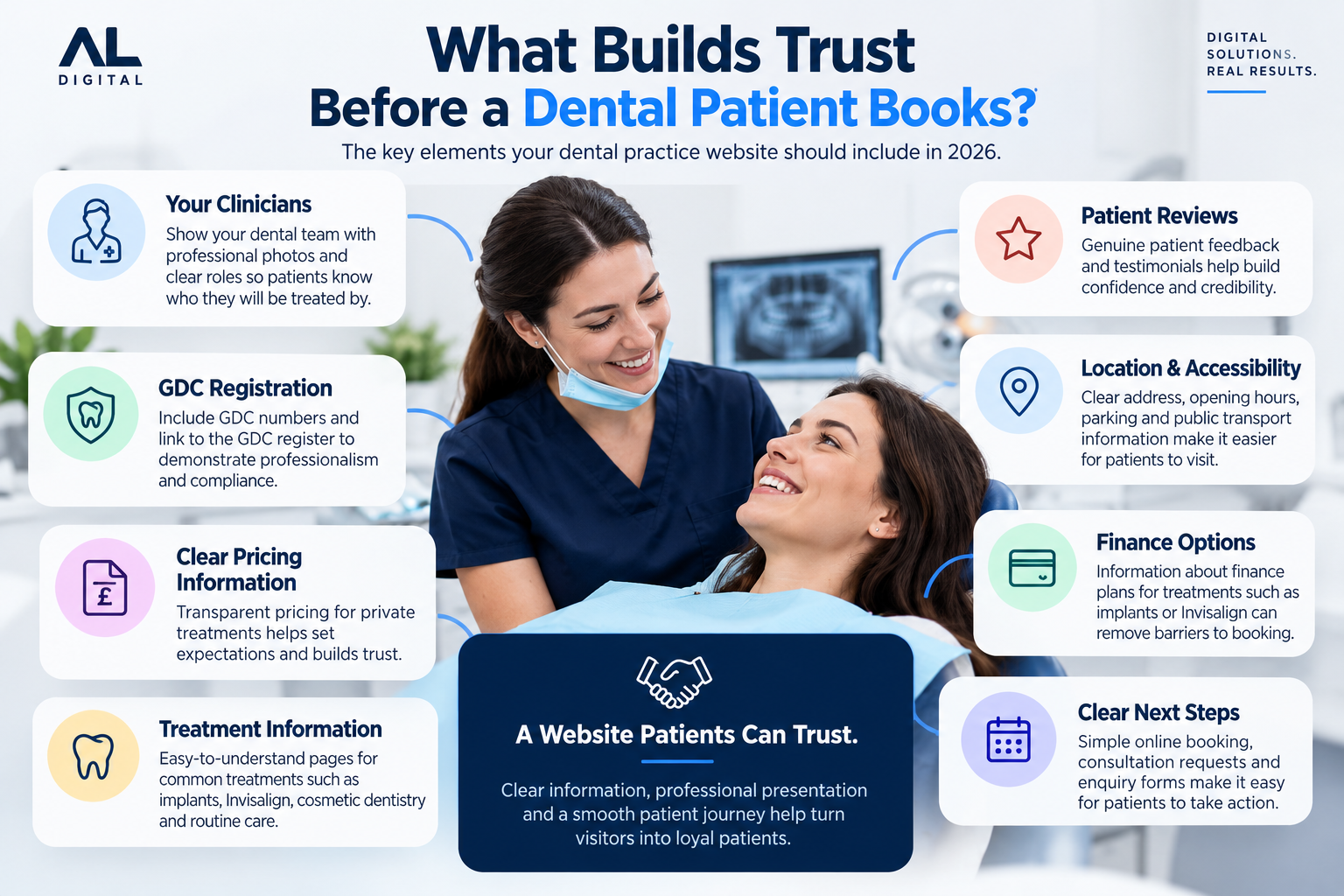
13. Trust Before Booking
Healthcare trust grows from consistent, verifiable information about clinicians, care, pricing and the patient’s next step. Decorative badges cannot replace that clarity. Our guide on why healthcare websites lose enquiries before contact explores the effect of missing reassurance.
14. Patient Forms
Digital registration, medical history, consultation, consent and treatment enquiry forms can make the process easier when used at the right stage. Avoid requesting the same information repeatedly and collect only what is appropriate to that step, while preserving clinical, privacy and regulatory requirements.
15. Appointment Confirmation and Reminders
A completed booking should lead to an unambiguous confirmation. Include the date, time, location, clinician where relevant, preparation guidance and cancellation or rescheduling information. Reminders and follow-up messages should each have a clear purpose.
16. Location and Accessibility Information
Make the full address, map, current opening hours, telephone number and email or contact route easy to find. Parking and public transport information can help patients plan a visit.
Where applicable, explain physical accessibility in concrete terms so patients can understand whether the premises meet their needs. Keep these details consistent across the site and business listings.
17. Mobile Usability
Many patients research dental treatment on a phone. Test whether they can comfortably read treatment information, compare services, see prices, view clinician profiles, complete forms, request consultations, book appointments and contact the practice.
A technically responsive layout can still make those tasks difficult. Check actual screens and interactions at different widths, not just whether the page fits.
18. Accessibility
A dental website should work for a wide range of people. Consider readable font sizes, suitable colour contrast, clear headings, logical navigation, keyboard accessibility, descriptive links, meaningful image alt text, accessible forms and plain language.
Accessibility is part of the patient experience, including the booking and confirmation steps.
19. Analytics and Measurement
Useful measures include treatment-page visits, booking button clicks, consultation requests, enquiry submissions, completed bookings, device types, traffic sources and drop-off points.
Google Analytics and Microsoft Clarity can help identify patterns in user behaviour. Do not treat every individual drop-off as proof of a problem. Use data alongside patient feedback and operational context, then test improvements to the journeys that matter.
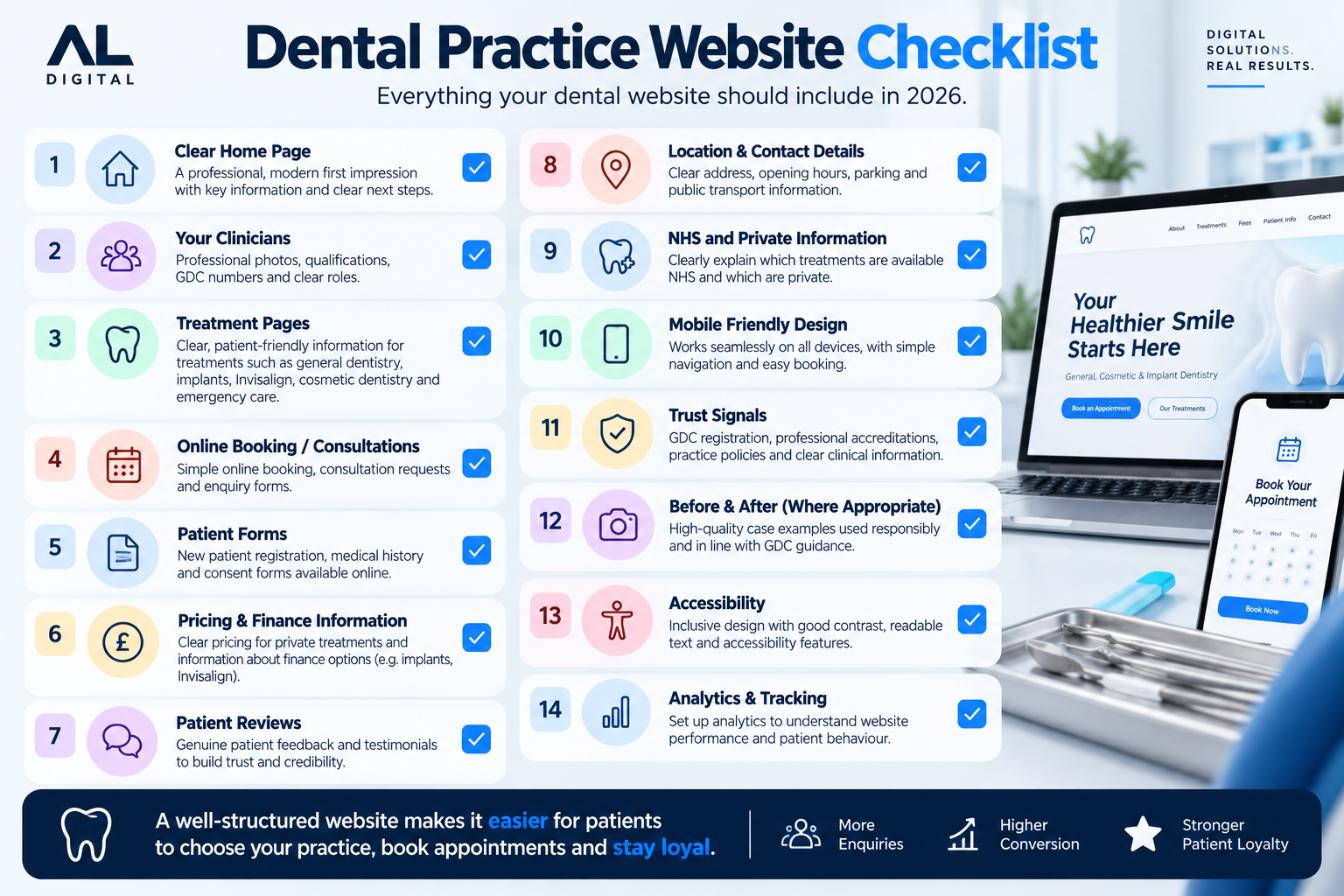
Dental Practice Website Checklist
Review the information and actions a patient needs before, during and after booking.
Does Every Dental Practice Need a New Website?
Not necessarily. If the technical foundation is sound, better treatment pages, clearer pricing, clinician profiles, improved calls to action, booking flows, forms, mobile usability and analytics may be enough.
A rebuild becomes more relevant when the platform prevents those improvements. Our guide to website redesign versus a new website helps assess that choice. AL Digital’s services, pricing and case studies provide further context for planning a digital project.
The Goal Is a Clearer Patient Decision
A successful dental website helps people understand their options and confidently take the appropriate next step.
Technology should support the patient relationship rather than make it harder.
Is your dental website making it easy for patients to choose the right treatment and take the next step?
AL Digital builds websites and connected digital systems around patient journeys, bookings, enquiries, payments and business workflows.
Explore Healthcare SolutionsGet a Free Quote